Managing Your Notifications
Remember The Milk sends you notifications to keep you up to date. You receive notifications when someone shares a list with you, gives you a task, or when you have a task due. You can view your notification history and edit your notification preferences after logging into your account.
To see your notification history
-
Log in to your Remember The Milk account.
-
Click the bell icon in the ribbon menu.
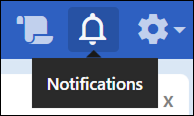
Your notification history displays.
To change your notification preferences
-
Log in to your Remember The Milk account.
-
Click the Settings gear in the ribbon menu.
-
Select Account settings.
-
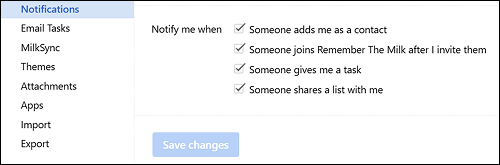
Select Notifications in the menu bar.
Your notification preferences display.
-
Select the checkboxes to turn notifications off or on.
-
Click Save changes.
Your notification preferences are saved.
Still need Help?